Choosing the Right Dental Practice Management Software
Selecting dental practice management software is one of the most consequential technology decisions a dental practice will make. The software you choose affects daily workflows, billing efficiency, patient experience, HIPAA compliance, and IT infrastructure requirements for years to come.
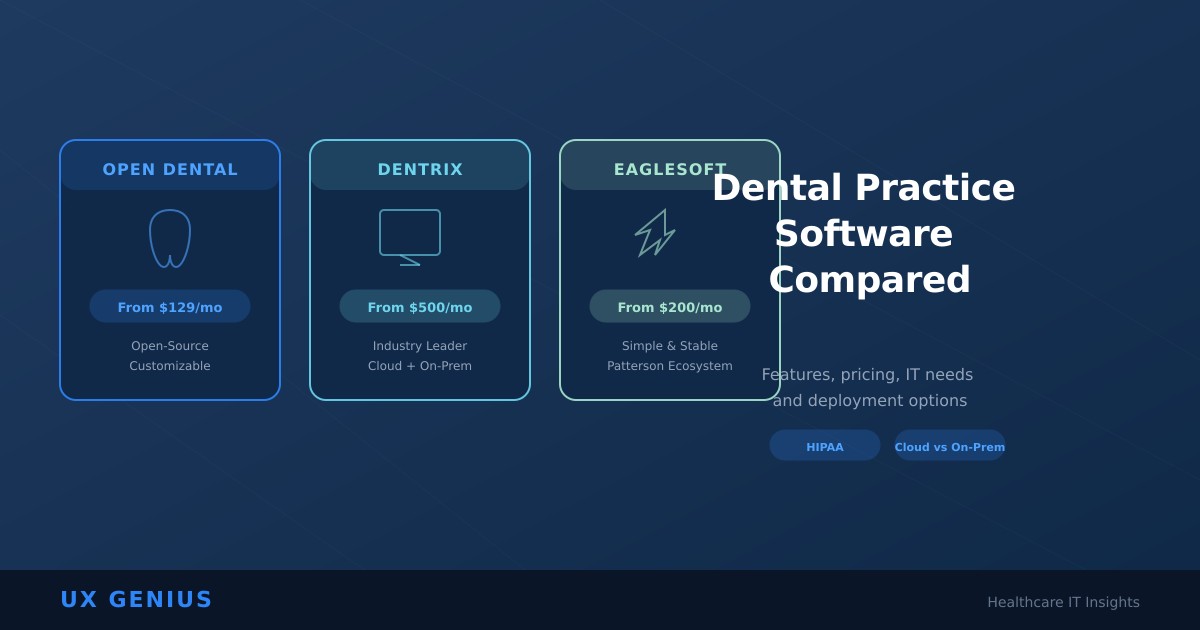
Three platforms dominate the market: Open Dental, Dentrix (by Henry Schein), and Eaglesoft (by Patterson Dental). Each has a distinct philosophy, pricing model, and set of trade-offs. This comparison goes beyond feature checklists to help you understand which platform aligns with your practice type, budget, and IT strategy.
Open Dental: Flexibility and Value
Open Dental stands apart as the only open-source option among the three. Built on the philosophy that practices should own their data and customize their software, it offers a transparent, affordable alternative to proprietary platforms.
Key Strengths
- Transparent, affordable pricing: No annual license fees. The software itself is a free download, with a monthly support fee of approximately $179/month for the first year, dropping to $129/month afterward for up to three providers per location. Additional providers are $20/month each. This per-location model — rather than per-provider — delivers significant savings for larger practices.
- Unmatched customization: Custom templates, workflows, reports, and automation rules let you adapt the software to your practice rather than adapting your practice to the software.
- Data ownership: Complete access to your database with no vendor lock-in. You can export, migrate, or integrate your data freely — a critical advantage that proprietary systems often restrict.
- Robust billing and insurance: Detailed AR aging reports, batch insurance claim submission, automated secondary claim generation, and strong revenue cycle management (RCM) integrations make it a favorite for practices focused on collections efficiency.
- Active community: A responsive user community and regular updates driven by real-world feedback keep the platform evolving.
Limitations
- Steeper learning curve: The depth of customization options means new users need more hands-on training compared to more guided platforms.
- Dated interface: The UI is functional but lacks the polish of Dentrix or newer cloud-native competitors.
- On-premise by default: Native installation requires a local Windows server. Cloud hosting is available through third parties, but it's not built-in.
Best For
Cost-conscious practices, offices that value deep customization and data control, and teams willing to invest in training. Also ideal for practices working with RCM partners who leverage Open Dental's billing capabilities.
Dentrix: The Industry Standard
Dentrix by Henry Schein is the most widely adopted dental practice management system in the United States. Its maturity, comprehensive feature set, and massive third-party ecosystem make it the default choice for many practices — but that comprehensiveness comes at a price.
Key Strengths
- Comprehensive all-in-one platform: Scheduling, charting, treatment planning, billing, patient communication, and analytics in a tightly integrated package.
- Largest third-party ecosystem: Dentrix connects with more imaging systems, patient communication tools, and specialty applications than any competitor. If a dental product has an integration, it probably works with Dentrix.
- User-friendly interface: Organized menus, familiar layouts, and consistent design patterns make it relatively intuitive for new users.
- Enterprise support: Henry Schein provides dedicated support, training resources, and a large network of certified consultants.
- Cloud option available:Dentrix Ascend is the cloud-native version, offering remote access, automatic updates, and reduced server dependency for practices that want to move off on-premise infrastructure.
Limitations
- Higher cost: Annual licensing fees, support plans, and add-on modules make Dentrix significantly more expensive than Open Dental. Dentrix Ascend runs approximately $500–$1,200/month depending on practice size and features.
- On-premise server required (traditional Dentrix): The standard version needs a dedicated Windows server with regular maintenance, backups, and security patching.
- Updates can be disruptive: Some users report that frequent updates require downtime and occasional retraining.
Best For
Medium to large practices seeking a mature, enterprise-ready experience with extensive third-party integrations. Also a strong choice for practices already in the Henry Schein ecosystem or those that want a cloud-native option via Dentrix Ascend.
Eaglesoft: Reliable and Straightforward
Eaglesoft by Patterson Dental has built its reputation on reliability and ease of use. It's a Windows-based, on-premise solution that combines clinical and administrative functions in a straightforward, no-surprises package.
Key Strengths
- Stability and reliability: Consistently praised for rock-solid performance with minimal crashes or downtime.
- Ease of training: Graphical interface and straightforward workflows make it one of the easiest platforms to onboard new staff onto.
- Strong imaging integration: Particularly within the Patterson ecosystem — practices using Patterson imaging hardware get a seamless experience.
- Competitive pricing: Starts around $200/month with subscription models that include ongoing support and updates.
- Insurance management: Robust insurance estimation, batch claims processing, and pre-authorization tracking.
Limitations
- Outdated interface: The UI feels dated compared to modern competitors, which can impact adoption among younger staff.
- Slower innovation: Feature development and technology adoption have lagged behind Dentrix and cloud-native competitors.
- On-premise only: No native cloud option. Requires a local server with full IT management overhead.
- Patterson ecosystem dependency: While it integrates well with Patterson products, integration outside that ecosystem can be more limited.
Best For
Small to medium practices that prioritize stability and simplicity over cutting-edge features. Particularly well-suited for offices already using Patterson Dental supplies and imaging equipment.
Head-to-Head Comparison
| Feature | Open Dental | Dentrix | Eaglesoft |
|---|---|---|---|
| Pricing Model | Monthly support fee (~$129–179/mo) | Annual license + support ($500–1200/mo for Ascend) | Subscription (~$200/mo+) |
| Deployment | On-premise (cloud via 3rd party) | On-premise + Cloud (Ascend) | On-premise only |
| Source Code | Open-source | Proprietary | Proprietary |
| Customization | Extensive | Moderate | Limited |
| Data Ownership | Full access, no lock-in | Restricted by license | Restricted by license |
| Imaging Integration | Good (open API) | Excellent (largest ecosystem) | Excellent (Patterson ecosystem) |
| Billing & Insurance | Very strong | Strong | Strong |
| User Interface | Functional, dated | User-friendly, polished | Simple, dated |
| Learning Curve | Moderate–High | Moderate | Low–Moderate |
| Multi-Location Support | Via cloud hosting | Ascend (cloud-native) | Complex networking |
| Community/Support | Active community + paid support | Enterprise support | Patterson support |
The IT Infrastructure Reality
Regardless of which software you choose, the IT infrastructure required to run it reliably and securely is a critical — and often underestimated — factor. Here's what each platform demands:
On-Premise Deployments (Open Dental, Dentrix, Eaglesoft)
All three on-premise options share common infrastructure requirements:
- Dedicated Windows server: A robust server with adequate RAM, SSD storage, and RAID configuration for data redundancy.
- HIPAA-compliant networking: Encrypted Wi-Fi, segmented networks (dental software on a separate VLAN from guest Wi-Fi), and firewall rules restricting unauthorized access.
- Backup strategy: Both onsite (fast recovery) and offsite (disaster recovery) backups, tested regularly. HIPAA requires documented backup procedures and disaster recovery plans.
- Uninterruptible power supply (UPS): Protects the server from power surges and outages that can corrupt the database.
- Security patching: Windows Server, SQL Server, and the dental software itself all require regular security updates — a process that must be managed carefully to avoid practice downtime.
- Antivirus and endpoint protection: HIPAA-mandated malware protection configured to exclude dental software directories from scans that cause performance issues.
Cloud-Hosted and Cloud-Native Options
Cloud deployments eliminate the server hardware requirement but introduce their own considerations:
- Internet reliability: A failed internet connection means no access to patient records, scheduling, or billing. Redundant internet (primary + backup) is essential.
- VPN and remote access: Secure connectivity between workstations and the cloud environment must be configured and monitored.
- Data migration: Moving from an on-premise system to the cloud requires careful planning to avoid data loss or extended downtime.
- Ongoing cloud hosting costs: Third-party Open Dental hosting typically runs $200–$400/month. Dentrix Ascend's pricing reflects its cloud infrastructure.
At UX Genius, we help dental practices design, deploy, and manage the IT infrastructure their practice management software demands — from server setup and HIPAA-compliant networking to backup automation and cloud migration.
Making the Decision: A Framework
Choose Open Dental If:
- Cost is a primary concern and you want transparent, predictable pricing
- You value deep customization and full data ownership
- Your practice has strong billing needs and works with RCM partners
- You have (or plan to hire) IT support that can manage an on-premise or cloud-hosted server
Choose Dentrix If:
- You want the most comprehensive all-in-one platform with the largest integration ecosystem
- Your practice is medium-to-large and needs enterprise-grade support
- You want a cloud-native option (Dentrix Ascend) for multi-location access
- Budget is secondary to having the most mature, widely-supported platform
Choose Eaglesoft If:
- Stability and simplicity are your top priorities
- Your practice is small-to-medium and already uses Patterson Dental products
- You want an easy-to-train platform for staff with varying technical skills
- You don't need cutting-edge features — just reliable day-to-day functionality
The Bottom Line
There's no universally "best" dental practice management software — only the best fit for your specific practice. Open Dental wins on cost and customization. Dentrix wins on comprehensiveness and ecosystem. Eaglesoft wins on simplicity and stability.
But regardless of which platform you choose, the IT infrastructure underneath it determines whether it runs smoothly or becomes a source of daily frustration. Server failures, network outages, security breaches, and inadequate backups can cripple any practice management system — no matter how good the software itself is.
Invest in the right software and the right IT infrastructure. Your practice depends on both.