The Ransomware Reality for Small Business
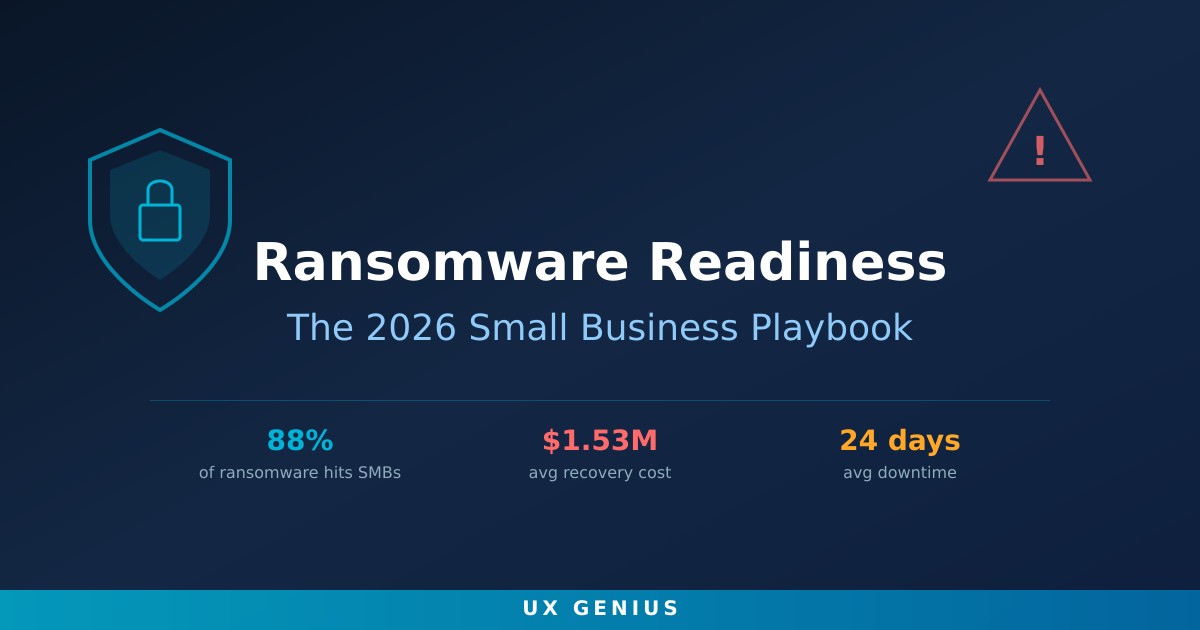
If you're running a small business and think ransomware only hits Fortune 500 companies, it's time to update your threat model. In 2026, small and medium-sized businesses account for 88% of all ransomware incidents. Attack volumes surged 34% in 2025, and U.S. attacks alone rose 50% in the first ten months of that year. Experts estimate 85% of ransomware attacks go unreported — the real numbers are far worse.
Why are small businesses the primary target? Three reasons: weaker security defenses, limited IT budgets, and no dedicated security staff. Attackers know this. They've built entire business models around exploiting it.
How Ransomware Has Evolved in 2026
The ransomware landscape looks nothing like it did even two years ago. Here's what's changed:
- Multi-extortion attacks: Attackers no longer just encrypt your files. They steal data, threaten to publish it, launch DDoS attacks against your website, and even contact your customers directly to pressure you into paying.
- AI-enhanced phishing: Attackers use AI to craft phishing emails that are nearly indistinguishable from legitimate messages — personalized, grammatically perfect, and contextually relevant. Your employees' spam filters and gut instincts are no longer enough.
- Data theft without encryption: A growing trend bypasses encryption entirely. Attackers steal sensitive data and demand payment to prevent its public release — meaning even organizations with solid backups face extortion.
- Ransomware-as-a-Service (RaaS): The barrier to entry for cybercrime has collapsed. RaaS platforms let low-skilled criminals launch sophisticated attacks for a cut of the ransom, flooding the market with more attackers.
- Supply chain attacks: 58% of ransomware attacks on SMBs originate from compromised third-party vendors. Your security is only as strong as your weakest partner.
The Cost of Getting It Wrong
The financial impact of a ransomware attack on a small business is devastating:
| Metric | 2025/2026 Data |
|---|---|
| Average recovery cost (excl. ransom) | $1.53 million |
| Average downtime | 24 days |
| Data recovery success after paying | 60% |
| Repeat attack rate after paying | 69% within 1 year |
These numbers tell a clear story: paying the ransom is a losing bet. More than a third of businesses that pay don't even get their data back, and most get hit again. The FBI and CISA consistently advise against payment — it funds criminal operations and may violate federal sanctions laws.
The Layered Defense Framework
There is no single product or policy that stops ransomware. Effective defense is layered, with each measure covering the gaps left by others. Here's the framework every small business should implement:
Layer 1: Identity and Access
- Enforce multi-factor authentication on every account — email, cloud storage, financial software, remote access tools. MFA blocks 99.9% of automated attacks.
- Implement least-privilege access. Employees should have only the permissions they need — nothing more. This limits lateral movement if an account is compromised.
- Deploy a password manager and enforce strong, unique passwords across the organization.
Layer 2: Endpoint and Network Protection
- Install endpoint detection and response (EDR) on every device — not just traditional antivirus. EDR provides behavioral analysis, real-time scanning, and automated threat containment.
- Segment your network so a compromised device can't access everything. Isolate critical systems like financial data and patient records.
- Monitor all endpoints and network traffic through a managed detection and response (MDR) or SIEM platform.
Layer 3: Backup and Recovery
- Implement automated, scheduled backups of all critical data.
- Store backup copies offline or in immutable cloud environments — completely separate from your production network. Ransomware actively seeks and destroys accessible backups.
- Test your restoration process quarterly. A backup you can't restore is not a backup.
Layer 4: Human Firewall
- Conduct regular security awareness training — not annual check-the-box sessions, but ongoing, contextual education.
- Run simulated phishing exercises monthly to test and reinforce employee awareness.
- Create a clear reporting process so employees can flag suspicious messages without fear of blame.
Building Your Incident Response Plan
If you're hit, the first 60 minutes determine how bad it gets. An incident response plan gives your team a script to follow under extreme pressure. Your plan should include:
- Containment procedures: How to isolate affected systems without destroying forensic evidence.
- Communication protocols: Who to notify internally, when to engage legal counsel, and how to communicate with customers.
- External contacts: Law enforcement (FBI IC3), cyber insurance provider, and a forensics firm on retainer.
- Recovery steps: The sequence for restoring from backups, re-imaging systems, and validating clean states.
- Documentation requirements: Every action taken, timestamped, for insurance and legal purposes.
Test this plan at least twice a year with tabletop exercises. A plan that exists only on paper is a plan that will fail under stress.
Why Managed IT Is the Pragmatic Answer
Most small businesses can't hire a dedicated security team. Even a single full-time cybersecurity professional costs $90,000–$130,000 annually in salary alone — before benefits, tools, and training. For a 20-person company, that's often untenable.
Managed IT services close that gap by providing:
- 24/7 monitoring and response: Threats don't follow business hours. MDR platforms and managed SOC teams catch attacks at 2 AM when your team is asleep.
- Proactive patch management: Unpatched systems are the #1 entry point for ransomware. Managed IT ensures every device is current — automatically.
- Backup verification: Regular testing of backup integrity and restoration speed, so you know your safety net works before you need it.
- Employee training programs: Structured, ongoing security awareness with phishing simulations and metrics tracking.
- Incident response support: When the worst happens, you have a team that's done this before — not your office manager Googling "what to do after ransomware."
Start Today: Your Ransomware Readiness Checklist
You don't need to do everything at once. But you need to start. Here's a prioritized checklist:
- ☑ Enable MFA on all accounts — start with email and remote access
- ☑ Verify backups are running and test a restore
- ☑ Patch all operating systems and critical applications
- ☑ Deploy EDR on every endpoint
- ☑ Conduct a phishing simulation with your team
- ☑ Document an incident response plan
- ☑ Review third-party vendor security practices
- ☑ Engage managed IT for 24/7 monitoring and response
Every day without these protections is a day you're betting your business that attackers won't find you. In 2026, that's a bad bet. 88% of ransomware victims are small businesses just like yours.
Don't wait for an attack to build your defense. Our managed IT services provide 24/7 monitoring, endpoint protection, backup management, and incident response — everything your business needs to stay resilient. Or book a free consultation and let's assess your current risk posture together.